
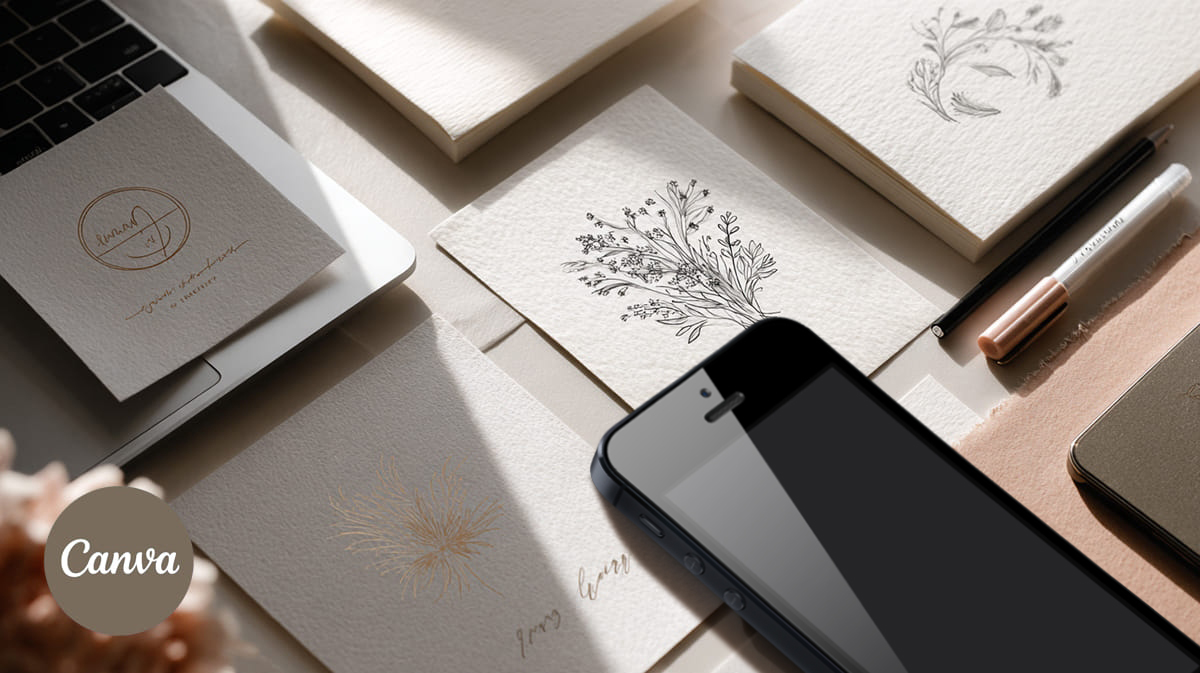
Looking for a logo that gives your business a recognizable identity without starting the design process from scratch? These 10 Canva logo templates cover a range of styles, from minimalist logos for coffee shops and flower stores to vintage floral designs, modern brand kits, and elegant signature-style marks.
A well-chosen logo can help your business look consistent across your website, social media profiles, packaging, business cards, and other customer touchpoints. You don’t necessarily need a completely custom design to establish a visual direction. A ready-made logo template can give you a starting point that you can adapt to your brand, provided the product supports the changes you need.
This collection includes options for small business owners, entrepreneurs, startups, real estate professionals, personal brands, and creative businesses. Some products focus on a particular industry, while others provide several logo variations or complementary brand elements.
To organize the selection, I considered the products’ stated styles, intended uses, included variations, and available customer ratings. The list begins with a vintage floral logo set rated 4.8 out of 5 based on four reviews. Other ratings are noted where available, but several products have only one review, so those scores should be treated as limited feedback rather than definitive proof of quality.
Use the list to identify a style that suits your business, then check the individual product page for current details, editing instructions, included files, and licensing terms before purchasing.
Disclosure: This article may contain affiliate links. If you purchase through one of these links, we may earn a commission at no additional cost to you.
Canva logo templates comparison
Compare the main styles, intended uses, included features, and available customer feedback before exploring the full reviews.
| Logo template | Best for | Style / key features | Customer rating* |
|---|---|---|---|
| Vintage Floral Premade Logo Template | Vintage-inspired brands | 10 vintage floral logo designs | 4.8/5 (4 reviews) |
| Minimalist Simple Coffee Shop Logo Canva | Cafés and coffee shops | Minimalist style; 10 logo variations | 5.0/5 (1 review) |
| Modern Editable Logo Template for Canva | Small businesses and entrepreneurs | Main logo, submark, watermark, color palette | Not found* |
| Feminine Logo Template | Canva & PSD | Beauty, lifestyle, personal brands | Feminine aesthetic; Canva and Photoshop | 5.0/5 (1 review) |
| Pre Made Editable Logo Design Signature | Personal brands and creators | Signature-style logo; PDF with Canva customization link and instructions | Not found* |
| Minimalist Flower Shop Logo Canva | Florists and flower shops | Minimalist style; 10 logo variations | Not found* |
| Realtor Logo Template Kit for Canva | Real estate professionals | Main logo, submark, watermark, color palette | Not found* |
| Botanical Logo Template for Canva and PS | Nature-inspired brands | Botanical logo, 23 Instagram post templates, Canva tutorial | 5.0/5 (1 review) |
| Ivy and Callie Modern Logo Kit for Canva | Brands needing multiple options | 26 editable logo variations | Not found* |
| Circle Logo with Leaf | Canva & PSD | Simple botanical branding | Circular composition with leaf motif; Canva and Photoshop | Not found* |
Our top picks
- Best vintage style: Vintage Floral Premade Logo Template — a set of 10 vintage floral logos for brands drawn to a classic aesthetic.
- Best for a coffee shop: Minimalist Simple Coffee Shop Logo Canva — 10 logo variations created for coffee shop branding.
- Best for a versatile brand identity: Modern Editable Logo Template for Canva — includes a main logo, submark, watermark, and color palette.
Top 10 Canva logo templates
1. Vintage Floral Premade Logo Template — Best for vintage-inspired brands

If your brand leans toward a classic, romantic, or vintage-inspired aesthetic, this collection is worth considering. The product includes a set of 10 vintage floral logo designs, giving you several starting points instead of a single logo concept.
Floral details can suit businesses that want a softer visual identity, particularly in creative industries where decorative elements help establish the brand’s personality. A vintage-inspired direction may also work for boutiques, handmade products, gift businesses, and other brands whose visual language draws on traditional design.
The main advantage of a multi-logo set is the opportunity to compare different compositions before settling on a direction. You can assess which design feels closest to your brand and whether its decorative character will remain legible at smaller sizes.
This is a style-led option rather than a universal solution. A detailed floral logo may suit packaging or a website header but require a simpler alternative for a small social media avatar. Check the product preview and included files to understand what variations are supplied.
Best for: Vintage-inspired boutiques, handmade businesses, and floral-themed brands.
Why it stands out: The set contains 10 vintage floral logo designs, making it easier to compare several visual directions.
- Includes 10 logo designs.
- Vintage floral aesthetic.
- Useful for exploring different brand directions.
Customer rating: 4.8 out of 5 based on 4 reviews at the time of the initial product-data check. Ratings and review counts may change.
2. Minimalist Simple Coffee Shop Logo Canva — Best for coffee businesses

A coffee shop has plenty of branding touchpoints: takeaway cups, menus, storefront signage, packaging, loyalty cards, and social media posts. A logo designed specifically for the coffee industry can provide a more relevant starting point than a generic business mark.
This product is a minimalist coffee shop logo set containing 10 logo variations. That makes it a useful option for a café owner who wants to compare different approaches while staying within the same broad visual direction.
Minimalist branding can be particularly practical when a logo needs to appear in different sizes. A simple mark may be easier to recognize on a small cup label or profile image than a design filled with fine decorative details. The actual result will depend on the individual design, so inspect the previews before choosing.
The coffee-shop focus is also helpful when building a cohesive brand identity. You can evaluate the logo in the context of your menu, packaging, and signage rather than choosing a design simply because it looks attractive on its own.
Before committing, consider whether the logo fits your café’s personality. A neighborhood coffee shop, a specialty roaster, and a contemporary espresso bar may need very different visual identities, even though all operate in the same industry.
Best for: Independent cafés, coffee shops, and small coffee-related businesses.
Why it stands out: It combines a specific business use case with 10 logo variations to compare.
- Designed for coffee shop branding.
- Includes 10 logo variations.
- Minimalist design direction.
Customer rating: 5.0 out of 5 based on 1 review at the time of the initial product-data check. One review is a limited sample.
3. Modern Editable Logo Template for Canva — Best for a flexible brand identity

A business often needs more than one version of its logo. A full logo may work well on a website header, while a compact mark can be more practical for a profile picture, watermark, or small promotional graphic.
This modern editable logo template addresses that need by including a main logo, a submark, a watermark, and a color palette. Having these elements together can help you think about your identity as a small system rather than a single graphic.
The main logo can serve as the primary brand signature. A submark may be useful in spaces where the full design is difficult to fit, while a watermark can provide another branding option for suitable visual content. The included palette gives you a starting point for coordinating colors across your materials.
This product may suit entrepreneurs who want a contemporary visual direction without assembling every branding element separately. It is also worth considering if you’re planning to use the identity across several channels and want to maintain a consistent look.
Keep in mind that an editable template is a starting point, not a guarantee of a distinctive brand. Review the design carefully and check the product page for the editing instructions and any restrictions on how the finished logo may be used.
Best for: Small businesses and entrepreneurs looking for a coordinated set of brand elements.
Why it stands out: It includes several complementary identity components, not just a main logo.
- Main logo, submark, and watermark.
- Includes a color palette.
- Modern design direction.
4. Feminine Logo Template | Canva & PSD — Best for feminine branding

Some brands need a softer, more personal visual identity rather than a geometric or corporate-looking logo. This feminine logo template is aimed at that design direction and is listed for use with Canva and Photoshop.
A feminine aesthetic may suit beauty services, lifestyle businesses, boutiques, personal brands, and other ventures whose identity relies on an elegant or expressive visual style. The right choice depends on the audience and positioning: a beauty studio targeting a luxury market, for example, may want a different look from a playful handmade-goods shop.
The product’s Canva and Photoshop positioning gives shoppers a useful starting point when checking whether the listed editing options fit their workflow. However, it’s still important to confirm the current product description and instructions before purchasing, especially if you intend to work in only one of those applications.
When evaluating this template, look beyond the immediate appeal of the preview. Consider how the logo will look alongside your website typography, social media graphics, packaging, and other visual elements. A design that fits the rest of your brand will be more useful than one that looks good in isolation.
Best for: Beauty, lifestyle, boutique, and personal-brand projects seeking a feminine aesthetic.
Why it stands out: It offers a feminine visual direction and is listed for Canva and Photoshop.
- Feminine branding style.
- Listed for Canva and Photoshop.
- Suitable for exploring an elegant brand direction.
Customer rating: 5.0 out of 5 based on 1 review at the time of the initial product-data check. This rating is based on limited feedback.
5. Pre Made Editable Logo Design Signature — Best for signature-style branding

A signature-style logo can give a brand a more personal feel. Rather than relying on a conventional symbol alone, this direction uses the character of a signature as the central visual idea.
This pre-made editable logo is described as a signature-style design and comes with a PDF containing a link and instructions for customization in Canva. That information makes the product worth exploring if you want a ready-made starting point and prefer to follow supplied editing instructions rather than build the logo from scratch.
Signature-style branding can be relevant to photographers, independent designers, consultants, artists, creators, and other professionals whose business is closely connected to their own name. It can also work for a small business that wants a more personal visual identity, depending on the audience and overall brand direction.
Before choosing a signature logo, think about legibility. A handwritten-looking mark may look appealing at a large size but become difficult to read when reduced for a website favicon or social profile. Check the preview at different sizes and consider whether it will work alongside the rest of your branding.
The supplied PDF and editing instructions are useful details, but review the product page for the exact customization process and any usage restrictions before purchasing.
Best for: Consultants, creators, photographers, designers, and other personal brands.
Why it stands out: Its signature-style direction offers an alternative to conventional icon-based logos.
- Signature-style logo design.
- Includes a PDF with a link and customization instructions.
- Instructions reference editing in Canva.
6. Minimalist Flower Shop Logo Canva — Best for florists

A flower shop has a naturally visual business, but its logo doesn’t have to be complicated. A minimalist design can provide a clear starting point for branding that needs to work across bouquet cards, wrapping, storefront materials, delivery packaging, and social media.
This product is a minimalist flower shop logo set containing 10 logo variations. Its specific focus on florists makes it more immediately relevant to a flower business than a general-purpose logo template.
When choosing a logo for a floral brand, consider the kind of experience you want customers to associate with your shop. A business specializing in modern arrangements may benefit from a clean, restrained identity, while a shop focused on romantic bouquets may prefer a softer approach. The preview will help you decide whether this set matches your intended positioning.
It’s also worth considering the range of products and services you offer. A logo should make sense on a small bouquet tag as well as on your website and social channels. If the design depends on tiny details, check how well they remain visible at smaller sizes.
The 10 variations give you multiple designs to review before making a decision. Check the product page for the current contents and editing details so you know exactly what is included.
Best for: Florists, flower shops, bouquet delivery services, and floral businesses.
Why it stands out: It combines a florist-specific focus with 10 minimalist logo variations.
- Created for flower shop branding.
- Includes 10 logo variations.
- Minimalist design direction.
7. Realtor Logo Template Kit for Canva — Best for real estate professionals

Real estate professionals often need a consistent identity across property listings, business cards, social media profiles, brochures, and other marketing materials. A logo kit designed specifically for realtors can be a practical starting point for that work.
This product is a realtor logo template kit for Canva. The listed contents include a main logo, submark, watermark, and color palette, bringing several branding components together in one product.
These elements can be useful when building a consistent visual system. You might use the main logo in a website header, consider the submark for a smaller space, and use the palette as a reference when coordinating other marketing graphics. The appropriate use of each element depends on the actual files supplied and your design requirements.
The niche focus is helpful because real estate branding has its own practical considerations. A logo needs to feel appropriate for your target market and remain legible in the many places where potential clients encounter your business. A design intended for a luxury property specialist may communicate something different from one used by a neighborhood real estate agent.
Before purchasing, inspect the previews and confirm the included files, editing instructions, and license terms on the product page.
Best for: Realtors, real estate agents, and property-related small businesses.
Why it stands out: The kit includes multiple brand elements and is specifically intended for real estate professionals.
- Designed for realtor branding.
- Includes a main logo, submark, and watermark.
- Includes a color palette.
8. Botanical Logo Template for Canva and PS — Best for nature-inspired brands

Botanical branding can be a natural fit for businesses that want to connect their visual identity with plants, flowers, or the natural world. This template combines a botanical logo concept with additional social media design resources, according to the product description.
The listed package includes a botanical logo template for Canva and Photoshop, 23 Instagram post templates, and a Canva tutorial. The additional social media templates may be useful if you’re developing a brand identity and want related content designs to accompany it.
This could be worth exploring for plant shops, creative studios, lifestyle brands, handmade businesses, or other ventures that suit a botanical visual direction. It may also help entrepreneurs who are working on both their logo and social presence at the same time.
Think about how the logo and social media graphics will work together. Consistent visual choices can help your posts feel connected to your brand, but the final result will depend on how well the templates fit your colors, typography, content, and audience.
The product is listed for Canva and Photoshop, but you should review the current listing for exact editing requirements, included files, and licensing terms. Make sure the supplied resources suit the platforms and formats you intend to use.
Best for: Plant shops, nature-inspired brands, and businesses developing their logo alongside Instagram content.
Why it stands out: It combines a botanical logo with 23 Instagram post templates and a Canva tutorial.
- Botanical logo design.
- Listed for Canva and Photoshop.
- Includes 23 Instagram post templates and a Canva tutorial.
Customer rating: 5.0 out of 5 based on 1 review at the time of the initial product-data check. The sample is limited.
9. Ivy and Callie Modern Logo Kit for Canva — Best for multiple logo variations

Choosing a logo is easier when you can compare several variations rather than committing to the first concept you see. The Ivy and Callie Modern Logo Kit for Canva includes 26 editable logo variations, according to the product listing.
That variety makes the kit worth considering if you’re still deciding how your brand should look. Different logo arrangements can serve different visual purposes, and having several options can help you compare the overall direction before settling on one.
A modern logo kit may suit entrepreneurs, small businesses, creative professionals, and personal brands looking for a contemporary identity. The exact fit depends on the designs in the set, so take time to inspect the previews and identify the variations that best match your business.
It’s useful to think about your logo as part of a broader visual system. Consider how the selected design will appear on your website, social profiles, marketing graphics, and printed materials. A logo variation that looks good in a product preview should also make sense in the real spaces where your customers will see it.
The product listing identifies the kit as editable in Canva. Check the current page for details about the included variations, customization instructions, and license restrictions before purchasing.
Best for: Entrepreneurs and small businesses that want several modern logo variations to compare.
Why it stands out: The kit contains 26 editable logo variations, offering a wider set of options than a single-logo product.
- Includes 26 logo variations.
- Modern design direction.
- Listed as editable in Canva.
10. Circle Logo with Leaf | Canva & PSD — Best for simple botanical branding

A circular logo with a leaf motif is a straightforward visual direction for a brand that wants to reference nature without relying on a complex illustration. This product combines those two elements in a logo template listed for Canva and Photoshop.
The circular composition gives the design a defined shape, while the leaf motif suggests a botanical direction. That combination may appeal to plant-related businesses, eco-inspired projects, handmade brands, or other small businesses whose identity suits a nature-focused visual style.
One reason to consider a simple logo structure is flexibility. A compact mark may be easier to place in a social media profile, packaging label, website header, or other small format. However, the actual legibility depends on the details of the design, so check the product preview at different sizes before making a decision.
This template is a more focused choice than a broad logo kit. It may be suitable if you already know that you want a circular composition and leaf imagery rather than a collection of different brand directions.
The product is listed for Canva and Photoshop. Review the individual page to confirm the current contents, customization steps, and license terms, particularly if you plan to use the logo across several commercial channels.
Best for: Plant-related businesses, botanical brands, and small businesses seeking a simple nature-inspired logo.
Why it stands out: It brings a circular composition and leaf motif together in one focused design direction.
- Circular logo concept.
- Leaf-inspired botanical motif.
- Listed for Canva and Photoshop.
How to choose the right Canva logo template for your business
The best Canva logo template is the one that fits your brand, works in the places you need it, and gives you enough flexibility to create a consistent identity. Before choosing a design, consider the following points.
1. Match the style to your brand personality
Start by describing your business in a few words. Is it modern, playful, elegant, traditional, minimalist, or nature-inspired? Use those qualities to narrow your choices. A botanical logo may suit a plant shop, while a signature-style mark may feel more appropriate for a personal brand. A realtor or coffee shop may benefit from a design created with that specific industry in mind.
Look beyond current design trends. Your logo should make sense for your customers and the products or services you offer. A popular style isn’t necessarily the right style for every business.
2. Decide whether you need one logo or a complete kit
Some products focus on a single logo concept, while others include multiple variations or complementary branding elements. If you only need a basic mark for a small project, a focused template may be enough. If you’re building a brand that will appear across a website, social media, packaging, and printed materials, a kit with several variations may be more useful.
Pay attention to what the listing actually includes. Terms such as “logo kit” and “brand identity” can describe different packages, so confirm the contents rather than assuming every product contains the same elements.
3. Check editing requirements before purchasing
Products in this selection reference Canva, while some also list Photoshop. That doesn’t mean every template has identical editing options or requirements. Read the product description and instructions to find out how the files are supplied and what you’ll need to customize them.
If you intend to work exclusively in Canva, verify that the product’s editing process supports your workflow. If you plan to use Photoshop, confirm that the listing includes the appropriate files and instructions. Don’t rely on a product title alone when compatibility matters.
4. Think about where the logo will appear
A logo needs to work outside its product preview. Consider how it will look on your website, social media profile, business card, packaging, storefront, or promotional materials. A design with many small details may be attractive at a large size but less clear when reduced.
If possible, preview the logo in a few realistic contexts before committing to it. Check whether the text is readable and whether the main design remains recognizable at a smaller size.
5. Review licensing and customization terms
Before using a template for your business, read the current license terms on its product page. Confirm that the permitted uses match your plans, including any intended commercial applications. Don’t assume that every template has identical restrictions or that permission to edit a design automatically allows every possible use.
Also check whether you can make the changes you need, such as updating the business name or adjusting the colors. If your brand requires a highly distinctive logo, consider whether a template provides enough flexibility for that purpose.
6. Consider the complete cost, not just the initial attraction
Compare the actual product contents, editing requirements, and license terms before making a decision. A kit with multiple logo variations may be useful if you need several brand elements, while a simpler product may be sufficient for a more limited project.
Check the current price and purchase conditions directly on the product page. Prices, subscription offers, and other terms can change, so avoid relying on old screenshots or assumptions when comparing options.
Where to use your Canva logo template
Once you’ve chosen a logo, think about how it will support your business across different customer touchpoints. Consistent use can help your visual identity feel more recognizable and intentional.
Website and online store
Your website is often one of the first places customers encounter your brand. A logo can appear in the site header, footer, contact page, and other appropriate areas. For an online store, you may also use it on branded graphics or selected customer-facing materials. Make sure the design remains legible at the size used on your site.
Social media profiles and content
A logo can help connect your social media presence to your website and other marketing materials. A compact variation may be useful for a profile image, while a larger version could appear on promotional graphics or branded posts. If your product includes complementary social media templates, check whether their visual style works with your chosen logo.
Packaging and printed materials
Small businesses may use their logo on product labels, packaging, thank-you cards, menus, brochures, business cards, or other printed materials. Before sending anything to print, check the final dimensions, readability, and file requirements. A design that works well on a computer screen may need a different layout or size for a physical item.
Personal branding and professional materials
Freelancers, consultants, designers, photographers, and creators may use a logo or signature-style mark on portfolio websites, presentations, invoices, business cards, and other professional materials. The right approach depends on whether you want to emphasize your personal name, your business name, or a separate visual symbol.
Keep the identity consistent
Whichever template you choose, use it as part of a broader visual direction. Keep your logo, colors, typography, and other design elements reasonably consistent across channels. You don’t have to use the same layout everywhere, but the materials should feel as though they belong to the same business.
Frequently asked questions
Are Canva logo templates suitable for small businesses?
They can be a useful starting point for small businesses that need a logo without creating every element from scratch. The right template depends on your brand, the editing options provided, and how you intend to use the finished design. Review the product preview and license terms before purchasing, especially if you need the logo for commercial use.
Can I edit these logo templates in Canva?
The products in this collection are listed as Canva templates or include Canva-related editing instructions. Some also reference Photoshop. Editing requirements can vary by product, so check the individual listing for the current instructions, included files, and any account or software requirements before buying.
Which Canva logo template is best for a personal brand?
A signature-style design may be a good starting point if you want your identity to feel personal. The Pre Made Editable Logo Design Signature is one option to explore. A modern logo kit may also suit a creator or independent professional. Compare the actual designs and consider how well each one works with your name, audience, and broader visual identity.
Are these Canva logo templates free?
Don’t assume that a template is free simply because it is designed for Canva. Pricing and purchase conditions can vary by product and may change over time. Check the current product page for the price, any subscription or trial conditions, and what is included before purchasing.
Can I use a Canva logo template for commercial purposes?
Commercial use depends on the license terms that apply to the specific product and the intended use. Read the current license information on the product page before using a template for a business, client project, merchandise, or other commercial application. If a particular use is not clearly covered, seek clarification from the seller or platform.
What should I check before buying a logo template?
Review the design, included variations, editing instructions, file formats, compatibility details, current price, and license terms. Consider whether the logo will work at small sizes and whether you can customize it to fit your brand. Customer ratings can provide context, but look at the number of reviews too: a high score based on one review is limited evidence.
Final thoughts: choosing the best Canva logo templates
The best Canva logo templates for small business depend on what you’re building and how you want customers to perceive your brand. A coffee shop or florist may benefit from a niche-specific design, while an entrepreneur who needs several brand elements may prefer a logo kit. If your visual direction is more personal, a signature-style logo could be a better starting point.
For a vintage aesthetic, the Vintage Floral Premade Logo Template offers 10 designs to compare. The Minimalist Simple Coffee Shop Logo Canva and Minimalist Flower Shop Logo Canva sets are more closely aligned with their respective industries. For a broader brand identity, the Modern Editable Logo Template for Canva includes a main logo, submark, watermark, and color palette.
Before making a purchase, look at the actual previews and decide where you’ll use the logo. Check the editing process, included files, and licensing terms, too. A design that looks good in a preview is only useful if it fits your brand and the way you work.
Use these templates as a starting point, then make sure your final choice works with the rest of your visual identity. The goal is not simply to find a logo you like, but to choose one that makes sense for your business and can be used consistently across the places your customers encounter it.